Tip 141: Include a presentation progress tracker
No matter how well your presentation is progressing, your audience will want to know for how much longer you will be speaking.
If you are using slides or OHP transparencies it is an easy matter to let your audience know at the start how many slides or transparencies you will be showing, and then to number each one. This also helps you make sure they are in the correct sequential order before you start your presentation!
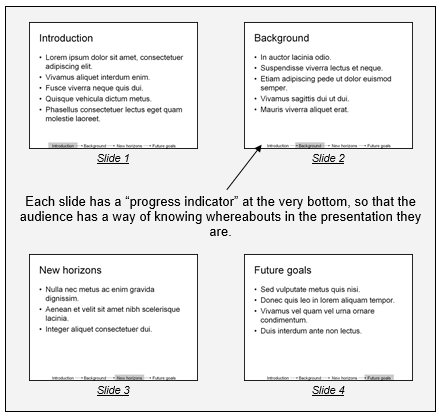
Another way is to have a “progress indicator” incorporated into your slides as in the examples below.
See also: Tip 45: Give your audience a way of tracking progress
« Previous: Tip 140: Select backgrounds carefully
Next: Tip 142: Use object builds »


 Import citation into