Tip 121: Avoid using pre-designed templates
PowerPoint comes with a set of built-in design templates which you can use as the basis of the design of your slide set. Also, there are a lot more which can be downloaded from the internet, which are available free or for purchase.
While templates are invaluable for quickly adding a uniform design to your slides, I would only recommend their use by speakers who are absolute beginners at giving presentations. Even in such cases, it is debatable as to whether your time could be better spent practicing and perfecting any of the other aspects of presentation, than in selecting the perfect design template for your slides.
There are three key reasons for avoiding templates that other people have designed.
Back in 1990 when PowerPoint started to become famous, no one had seen the built-in design templates before and their use had the novelty factor and the cool factor. But nowadays, everyone is pretty bored of these templates and when you use them, they make you look old-fashioned.
A more important reason is that when you use a pre-designed template you lose the opportunity to exercise your creativity in making your slides. By taking an off-the-shelf solution you have missed out on the chance to make your own individual stamp on your slides. You want your audience to remember you, your presentation and your slides long after the event. A good way to do this is to design a set of slides that are memorable and distinctive, not anonymous and mass-produced.
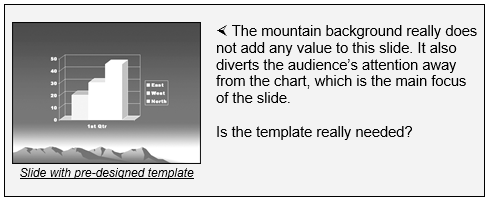
Thirdly, many of the available templates are too distracting. They have too much clutter. As we discussed before, you should try to remove all clutter from your slides.
« Previous: Tip 120: Use blank slides
Next: Tip 122: Use high-quality photos »


 Import citation into